

You're probably trying to answer a deceptively simple question: what did it cost to deliver the goods, job, or client work that produced this month's revenue? If your answer comes from a year-end tax worksheet, a vague gross margin report, or a general ledger account with unexplained transfers, you don't have a management schedule. You have a delayed summary.
A reliable schedule for cost of goods sold rolls beginning inventory, purchases or production costs, labor, freight, overhead, and ending inventory into a number that reconciles to the general ledger. It lets you see cost by job, client, SKU, or product family before pricing decisions, vendor negotiations, and staffing commitments are already made.
Table of Contents
- Why Most COGS Schedules Lie to Their Owners
- The Two Schedule Formats You Need to Know
- Mapping Your Chart of Accounts to the Schedule
- Four Allocation Methods and When to Use Each
- Building the Schedule in Three Real Industries
- Pitfalls That Quietly Distort Your Gross Margin
- Your 30-Day Action Plan and Template Next Step
Why Most COGS Schedules Lie to Their Owners
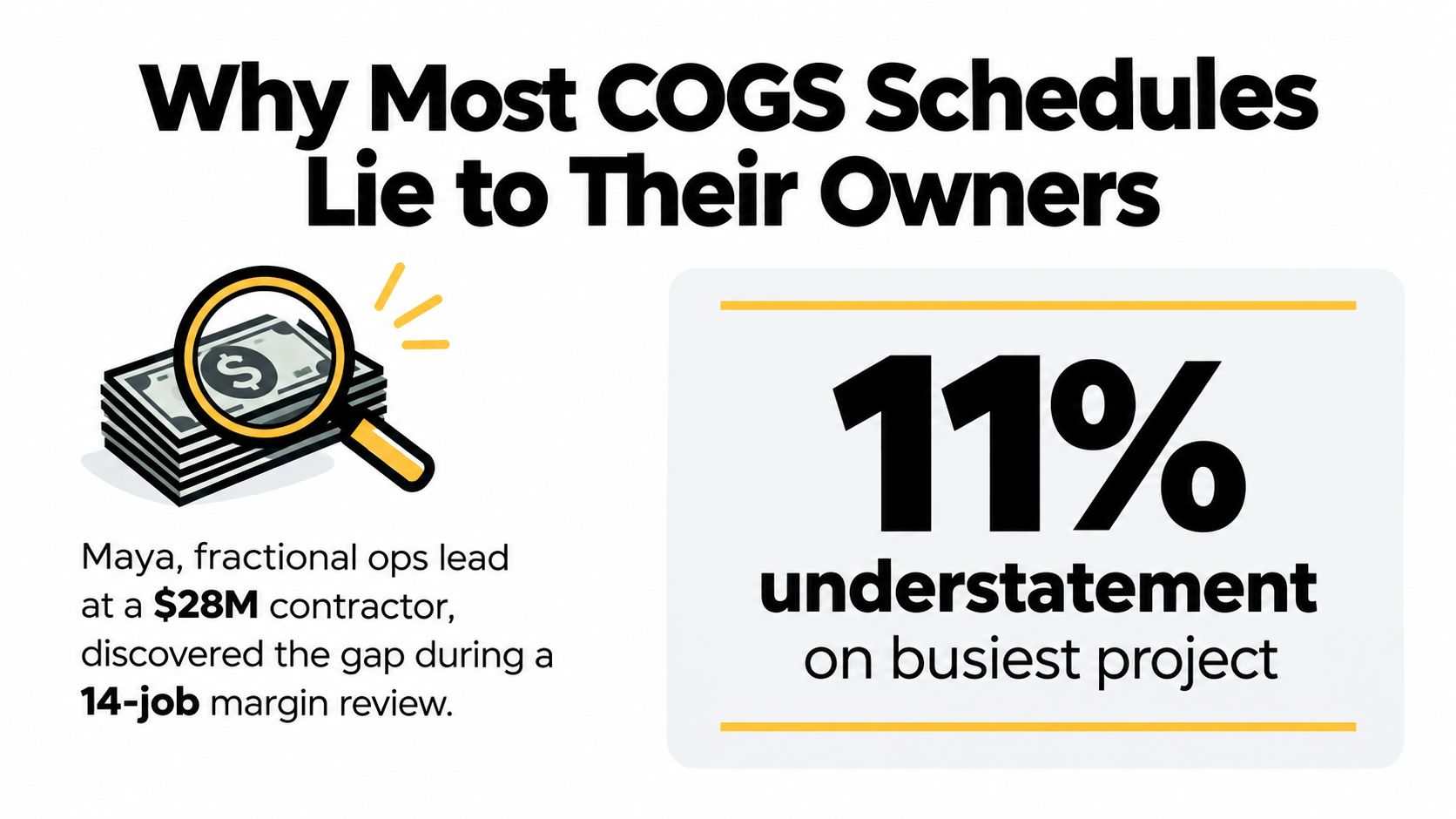
Maya, a fractional operations lead at a $28 million mechanical contractor, started a margin review across 14 active jobs and found a problem that wasn't visible in the company's monthly income statement. COGS was understated by 11% on the busiest project and overstated by 6% on two others. The issue wasn't fraud or a complicated accounting error. The company had stitched together a year-end tax summary in February, then treated that summary as if it were a live operating report.
That approach creates bad decisions all year. Owners defend pricing based on margins that don't exist, lose bids because the system hides the true labor burden, and miss vendor overcharges buried in misclassified freight. A business may also report strong project performance while costs sit in work in progress, an accrual account, or an unapplied clearing account.
The fix is structural. Treat the schedule as a monthly management control, then use the tax return as one downstream output. The schedule should show what changed from the prior close, which costs remain unmatched, and whether each subtotal agrees with the GL job-cost or inventory report.
Practical rule: If COGS informs pricing, vendor negotiations, borrowing capacity, or surety discussions, it can't wait for an accountant to assemble it once a year.
What the monthly control should catch
A useful schedule catches receiving cutoff errors within days, identifies labor posted without a job code, and separates freight-in from outbound shipping. It also gives lenders and sureties cleaner job-cost reporting because the supporting detail is already tied to the books.
Your operating expense process matters here too. A concise business expenses guide can help teams distinguish costs incurred to acquire or deliver inventory from administrative spending. That distinction belongs in your account-mapping policy, not in a year-end scramble.
For accrual businesses, the schedule must also support the relationship between earned revenue, incurred costs, and cash movement. If your reporting basis is changing, document the conversion process with this guide to converting accrual to cash rather than allowing COGS adjustments to become unexplained cash-basis plugs.
The Two Schedule Formats You Need to Know
Choose the schedule shape before you build the spreadsheet. A merchandising business moves purchased goods, while a manufacturer converts materials and labor into finished output. Construction contractors and some service businesses often need a hybrid because their economic “inventory” is job work in progress.
Merchandising format
The merchandising schedule starts with beginning merchandise inventory, adds purchases and freight-in, subtracts purchase discounts or returns where applicable, and then subtracts ending inventory. The standard structure is:
Beginning inventory + net purchases + freight-in = goods available for sale
Goods available for sale minus ending inventory = COGS
A published example uses beginning merchandise inventory of $65,000, purchases of $30,000, total merchandise cost of $95,000, ending inventory of $61,000, and COGS of $34,000. The figures and rollforward are shown in this accounting explanation of alternative financial statement formats.
Use one row per SKU, product family, or inventory class. A distributor may need SKU-level detail for replenishment, while a smaller reseller may use product families if the underlying inventory subledger still supports the total.
Manufacturing format
Manufacturing requires more layers:
- Beginning raw materials, purchases, and ending raw materials.
- Direct materials issued to production.
- Direct labor.
- Manufacturing overhead.
- Beginning and ending work in process.
- Cost of goods manufactured.
- Beginning and ending finished goods.
- Final COGS.
The core finished-goods rollforward is beginning finished goods inventory plus COGM minus ending finished goods inventory. The published manufacturing example in this cost of goods sold schedule reference shows beginning finished goods inventory of $24,000, COGM of $395,000, goods available for sale of $419,000, ending finished goods inventory of $35,550, and COGS of $383,450.
| Line Item | Merchandising Format | Manufacturing Format |
|---|---|---|
| Beginning balance | Merchandise inventory | Raw materials, WIP, and finished goods |
| Additions | Purchases and freight-in | Materials, direct labor, and manufacturing overhead |
| Production layer | Not applicable | Cost of goods manufactured |
| Ending balance | Ending merchandise inventory | Ending raw materials, WIP, and finished goods |
| Final output | COGS | COGS after finished-goods rollforward |
Construction companies should supplement the format with job-order costing guidance. A job in progress isn't a warehouse SKU, so the schedule needs job numbers, committed costs, percent-complete assumptions, and a tie-out to the WIP report.
Mapping Your Chart of Accounts to the Schedule
A COGS schedule is only as accurate as its account map. Start by exporting the full chart of accounts and tagging every account that touches inventory, production, labor, freight, subcontractors, or delivery. Each account should land in one of four buckets:
- Direct materials: Costs traceable to a product, job, or client engagement.
- Direct labor: Labor that performs the production or delivery work.
- Direct overhead: Necessary operating costs that can be assigned using a documented driver.
- Period cost: Selling, administrative, financing, and other expenses that shouldn't enter COGS.
A construction mapping example
For a $1.4 million hospital retrofit, the mapping might look like this:
| Account | Schedule Bucket | Required Detail |
|---|---|---|
| GL 5100 Lumber | Direct materials | Job number and purchase document |
| GL 5120 Concrete | Direct materials | Job number and delivery record |
| GL 5140 Fixture Allowances | Direct materials | Job and approved allowance |
| GL 5200 Field Wages | Direct labor | Certified payroll and job code |
| GL 5220 Prevailing Wage Surcharges | Direct labor | Payroll-level assignment |
| GL 5300 Subcontractor Pass-Throughs | Direct overhead | Contract and job |
| GL 5400 Job Site Equipment Rental | Direct overhead | Equipment and job usage |
| GL 5500 Freight and Handling | Direct overhead | Shipment and job |
| GL 5600 Office Salaries | Period cost | No COGS allocation |
| GL 5700 Software Subscriptions | Period cost | No COGS allocation |
The account number alone isn't enough. Give each account an owner, a job-code rule, and a default allocation key. If an invoice arrives without the required detail, route it to an exception queue instead of letting the accounting system guess.
Test the map before relying on it
Run a 30-day test reconciliation against the GL job-cost report. Compare each schedule category with the corresponding ledger total and investigate variances larger than 2% line by line. The result should be a mapping document that records the account, treatment, responsible reviewer, allocation basis, and corrective action.
Keep the map in a controlled file format, such as a signed PDF with version history, so reviewers can see what changed and when. Teams that need a practical workflow for converting and editing PDFs with PDFWix can use that type of tool to maintain a readable approval record. If the accounting system can't preserve the required job or item detail, review the process described in this guide to upgrading a system.
Four Allocation Methods and When to Use Each
Indirect costs need a driver that reflects consumption. Precision isn't the same as accuracy. A complicated allocation based on the wrong activity can distort margins more than a simple, consistently applied method.
Use the following shared example: a job produces $80,000 in revenue, consumes 400 labor hours and 120 machine hours, and carries $15,000 of overhead.
| Method | Formula | Rate Per Unit | Applied Overhead | Best Fit |
|---|---|---|---|---|
| Direct tracing | Trace the full cost to the job | Not applicable | Actual traceable cost | A cost with one clear home |
| Labor hours | $15,000 ÷ 400 hours | $37.50 per labor hour | $15,000 | Field service and construction |
| Machine hours | $15,000 ÷ 120 hours | $125 per machine hour | $15,000 | Equipment-driven production |
| Revenue allocation | $15,000 ÷ $80,000 revenue | 18.75% of revenue | $15,000 | Shared services as a last resort |
Direct tracing wins whenever an invoice, labor entry, or equipment charge belongs entirely to one job, client, or SKU. Don't allocate a cost just because your system makes allocation convenient.
Labor-hour allocation works when people consume the operating capacity. A field service contractor can assign overhead at $37.50 per labor hour in this example, provided the labor-hour records are complete and job-coded.
Machine-hour allocation produces $125 per machine hour here. That rate makes sense for a machine shop, but it would be misleading for a project where equipment sits idle and field labor drives the economics.
Revenue allocation applies overhead at 18.75% of revenue in the example. It's easy to administer, but it can punish high-price, low-effort work and reward low-price, labor-intensive work. Use it only for shared costs that can't be linked to a more meaningful activity.
Choose the driver that mirrors what actually consumes the cost, then use the same driver consistently enough for the schedule to reconcile and management to interpret it.
For inventory-heavy businesses, pair the schedule with a practical inventory carrying cost formula so the margin review includes the cost of holding stock, not only the purchase price.
Building the Schedule in Three Real Industries
The same accounting principle produces different schedules depending on what the business sells. The test is simple: can a reviewer trace the final COGS number from the GL to the underlying job, client, or inventory detail?
Construction contractor
A contractor starts with job-cost transactions. Materials, subcontractor charges, direct field labor, and allocated equipment overhead flow into each job number. The schedule then summarizes those costs by active job and compares the result with the WIP report.
The contractor shouldn't force every office expense into job COGS. Office salaries and general software may be period costs, while job-site equipment rental and freight tied to a specific project can remain direct or allocated overhead. The final schedule total must reconcile to the GL accounts designated for job cost, with unmatched entries listed separately.
Distribution wholesaler
A wholesaler uses the merchandising format. Begin with inventory by SKU or product family, add purchases, subtract purchase discounts and returns, include freight-in, and subtract ending inventory. The SKU rollup should feed the schedule while preserving the ability to investigate unusual margin movement at the item level.
The accounting team should reconcile purchases to vendor bills, freight-in to receiving records, and ending inventory to the inventory subledger. A clean schedule explains whether margin changed because selling prices moved, purchase costs changed, product mix shifted, or inventory counts were corrected.
Professional services firm
A professional services firm may have no traditional inventory, but it can still have delivery COGS. Billable labor, contractor pass-throughs, and software licenses tied directly to client delivery can enter the schedule, while sales, general administration, and unrelated subscriptions remain operating expenses.
Shared project support needs a written allocation rule. Assign support by hours, project volume, or another defensible driver, then compare the schedule against the timekeeping and payroll systems. Operational teams evaluating workforce and finance workflows may also review HR Management 365 operations software as part of their systems assessment.
| Industry | Schedule Format | Key Inputs | GL Tie-Out Account |
|---|---|---|---|
| Construction | Job-cost hybrid | Materials, labor, subcontractors, equipment | Job-cost and WIP accounts |
| Distribution | Merchandising | Purchases, freight-in, SKU inventory | Inventory and purchase accounts |
| Professional services | Delivery-cost schedule | Billable labor, contractors, delivery software | Delivery payroll and contractor accounts |
For contractors, construction job costing guidance can help connect the schedule to job reporting without treating every project like a product SKU.
Pitfalls That Quietly Distort Your Gross Margin
A gross margin can look reasonable while the underlying schedule is wrong. The four problems below deserve a close-specific control, not a vague year-end review.
| Pitfall | Symptom | Diagnostic | Fix |
|---|---|---|---|
| Cutoff error | Margin swings between periods | Compare receiving dates, invoice dates, and posting dates around close | Accrue received goods or reverse the accrual when the invoice posts |
| Labor classification | Production wages sit in operating expense | Compare payroll departments, job codes, and production hours | Reclassify qualifying labor to COGS or manufacturing WIP |
| Freight-in omission | Product cost is understated | Match freight invoices to receipts and vendor bills | Move inbound freight from clearing or operating expense into inventory cost |
| Inventory method switch | Ending inventory changes without an operational explanation | Review item valuation settings and accounting policy history | Restore the approved method and document any authorized change |
Cutoff errors
A receiving report dated before close with an invoice posted after close is the classic failure. Query open receipts, unmatched invoices, and inventory movements around the close date. Record an accrual for goods received, then reverse it when the vendor invoice posts.
Labor classification
Production wages buried in payroll can understate COGS while inflating operating expense. Review payroll by department, employee role, job code, and time entry. Reclassify direct labor to COGS or WIP, depending on whether the output has been sold or remains in production.
Freight-in and inventory methods
Inbound freight and duties belong in the cost of acquiring inventory under the applicable accounting policy, but teams often leave them in a clearing account. Match freight invoices to receipts and move the cost into inventory or COGS according to the goods' status.
Inventory valuation choices also matter. FIFO, LIFO, and weighted-average can produce materially different COGS and gross profit results, especially when input costs move quickly. Don't switch from FIFO to weighted average without notice in the middle of the year. Review the item-setting history, restore the approved method if the change wasn't authorized, and document any permitted policy change.
Your 30-Day Action Plan and Template Next Step
A usable schedule doesn't require months of redesign. It requires a frozen account map, a chosen format, a tested allocation rule, and a close routine that someone owns.
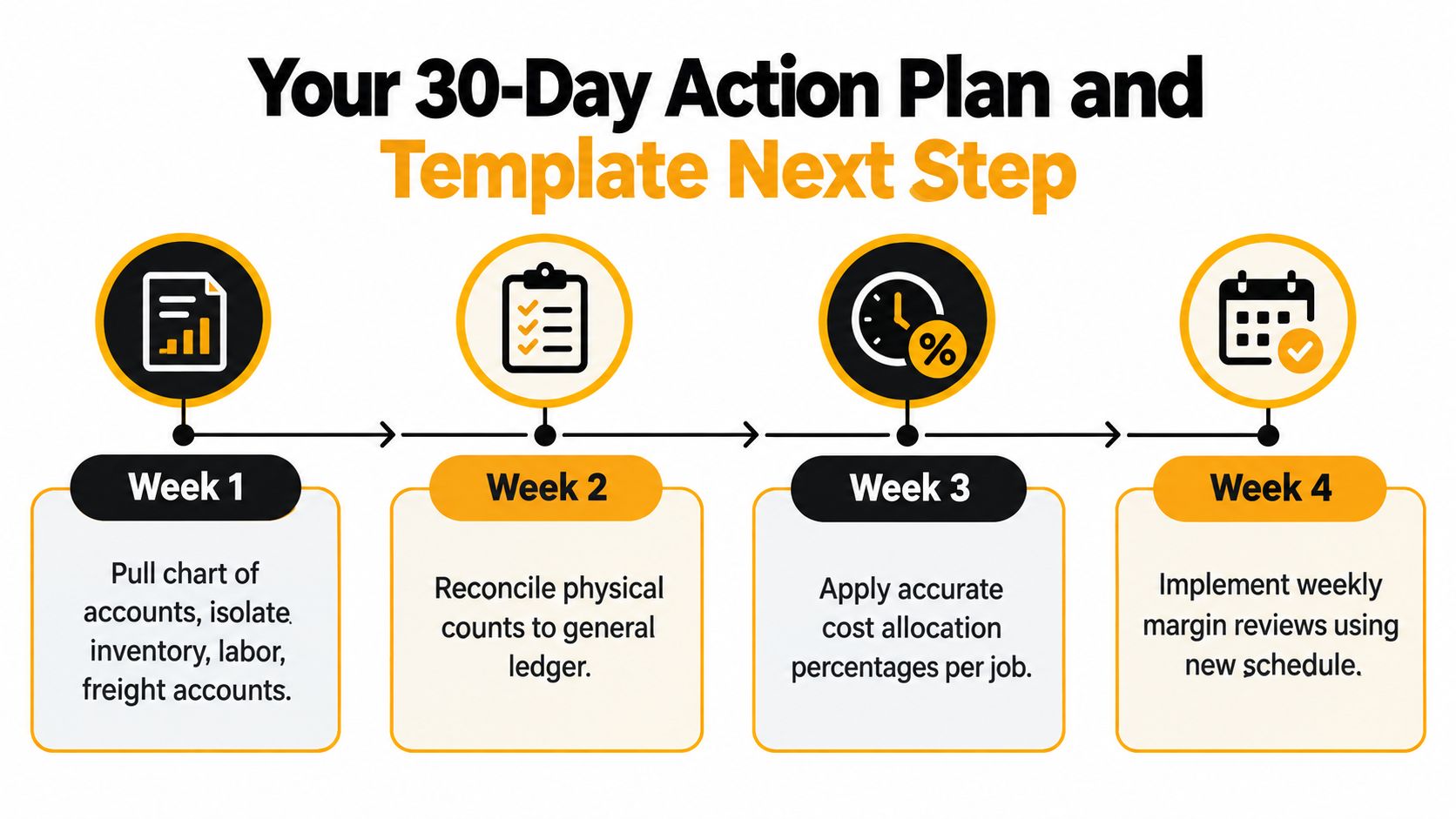
Week 1
Pull the chart of accounts and isolate every account touching inventory, labor, freight, subcontractors, production overhead, and COGS. Freeze the list for the pilot month. Assign an owner to each account and record the required job, client, SKU, or department detail.
Week 2
Choose merchandising, manufacturing, or a documented hybrid format. Build the account map using one sample job or SKU family, then tie beginning inventory and WIP balances to the GL. Resolve opening differences before adding current-period activity.
Week 3
Apply the allocation method that best reflects cost consumption. Run the schedule for the current month and the trailing two months, then reconcile every subtotal to the GL within $100. Keep an exception log for missing job codes, late invoices, unmatched receipts, and unexplained inventory adjustments.
Week 4
Stress-test cutoff, freight-in, labor classification, and inventory-method consistency. Review the completed schedule with the operations owner, controller, and person responsible for the GL close. Lock the cadence, including preparation date, review date, sign-off, and required supporting reports.
For Schedule C filers, the IRS calculates COGS in Part III, lines 35 through 42. The process begins with beginning inventory, adds purchases less personal withdrawals, labor, materials and supplies, and other costs, then subtracts ending inventory. The IRS explains that lines 35 through 39 equal goods available for sale, while line 42 is the resulting COGS amount carried back to line 4 in Publication 334. If the business keeps inventory, the IRS generally requires annual valuation, using cost, lower of cost or market, or another approved method, as described in the Schedule C instructions.
Download a pre-built Excel and Google Sheets template with pre-mapped account rows and three industry tabs, or book a 45-minute working session to wire the schedule into QuickBooks, Sage, or NetSuite. Either step removes the blank-page problem and turns the schedule from a once-a-year project into a monthly control.
AmbitionCFO helps $10M to $100M construction, distribution, and professional services businesses build job, client, and inventory margin reporting that reconciles to the general ledger. Visit AmbitionCFO to discuss a working session, monthly margin control, or broader fractional CFO support for cash flow and forecasting.